
 Milad Mohammadi
During the learning process and preparation for exams, having access to suitable educational content is only part of the journey. Selecting questions relevant to specific topics, deciding how many questions to include, and accessing organized collections can also make studying and practicing easier.
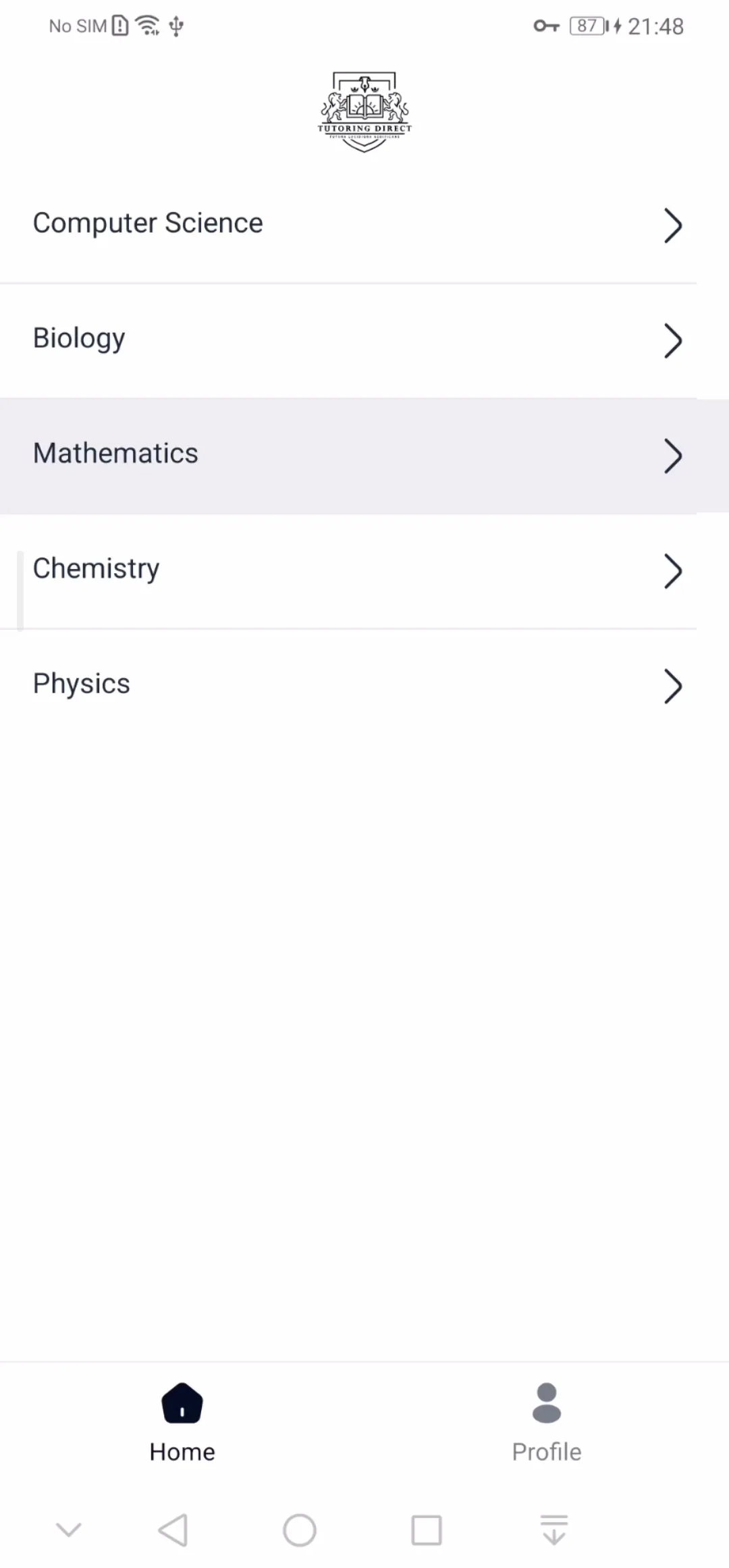
Quarx is an Android application designed to simplify this process. Users can choose their desired subjects and topics from the available educational categories, specify the number of questions, and create collections tailored to their needs. They can then view questions and answers, save the generated content, and share it with others.
Dasht was responsible for developing the Android application for Quarx. The app aims to make educational content more accessible and provide a more organized and practical way to prepare practice sets.
Selecting Topics and Creating Question Sets
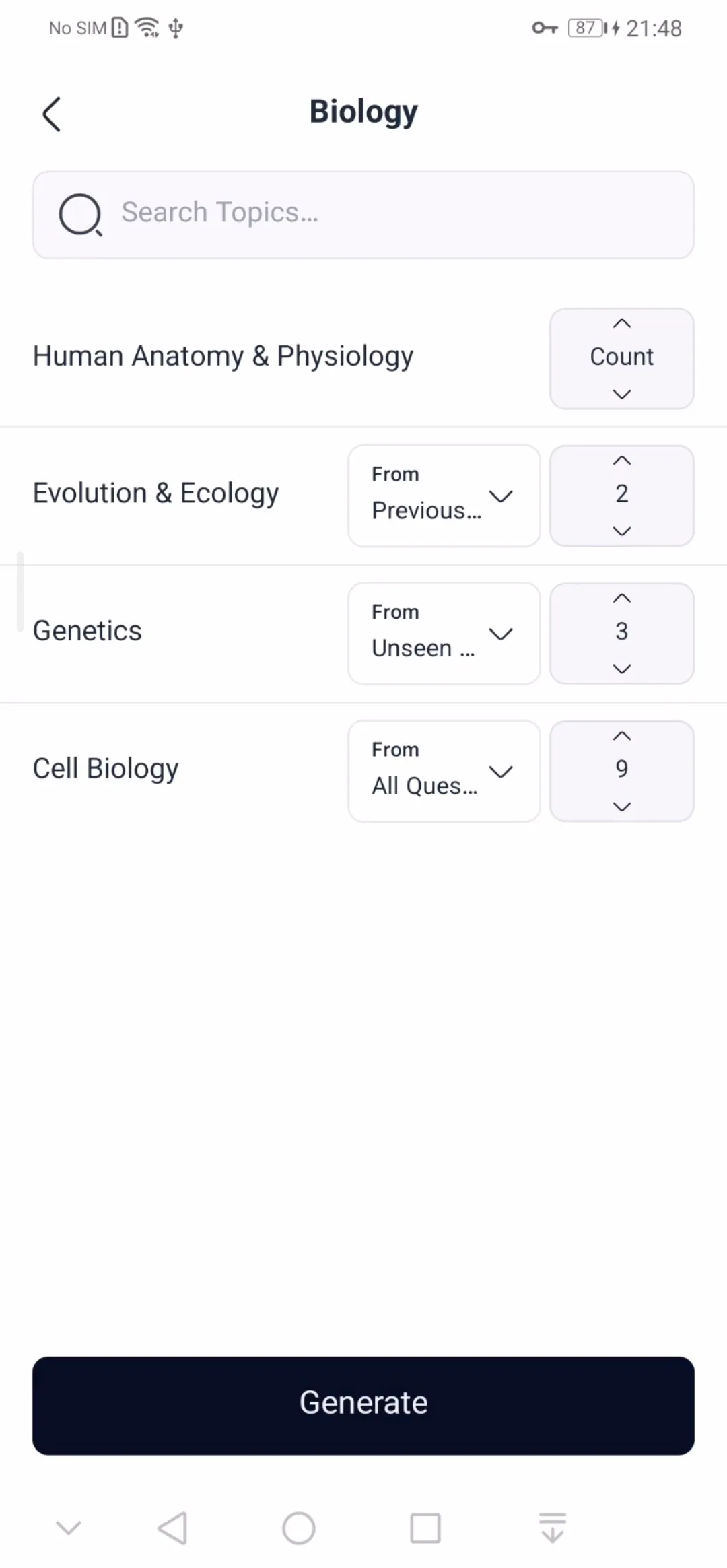
One of Quarx's main features is the ability to select educational topics. Users first choose a category and then browse its available topics and subcategories.
To make navigation easier, the app also provides topic search and filtering by grade level. This allows users to find the subjects they need without manually browsing through all available content.
Once the topics have been selected, users can specify the desired number of questions for each topic. This makes it possible to create a question set that better matches their available time and study goals.
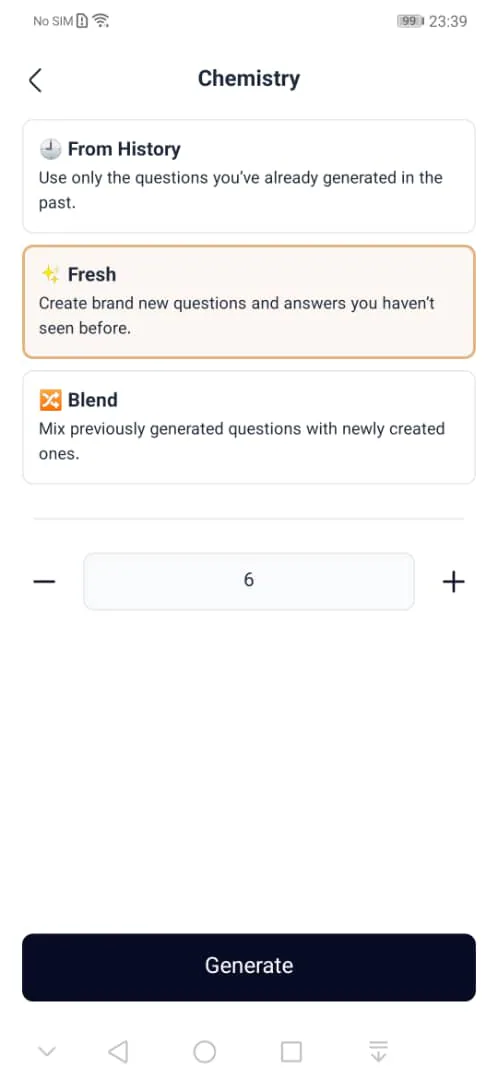
Choosing New, Previous, or Combined Questions
Quarx goes beyond topic selection by allowing users to choose the type of questions included in their generated collections.
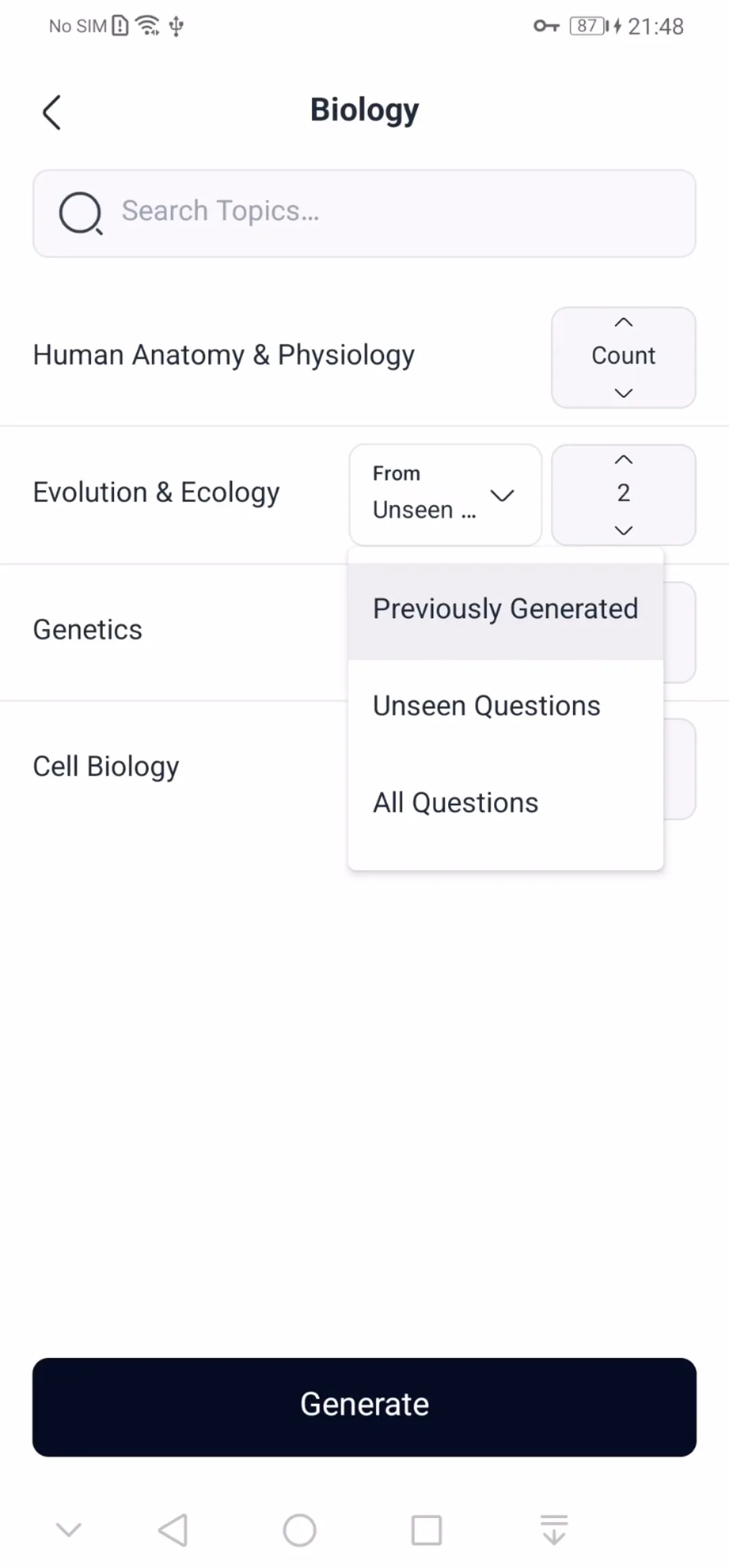
The application provides three main options:
Unseen Questions: Access questions that have not previously appeared in the user's generated collections.
Previously Generated Questions: Revisit questions that were selected and generated in earlier collections.
All Questions: Use all available questions without restricting the collection to either of the previous options.
This flexibility supports different stages of learning. For example, users can practice with new questions during their initial study sessions and return to previous or combined collections when reviewing material.
Viewing Questions and Answers
After selecting topics and configuring a question set, Quarx retrieves the relevant content and prepares it for display.
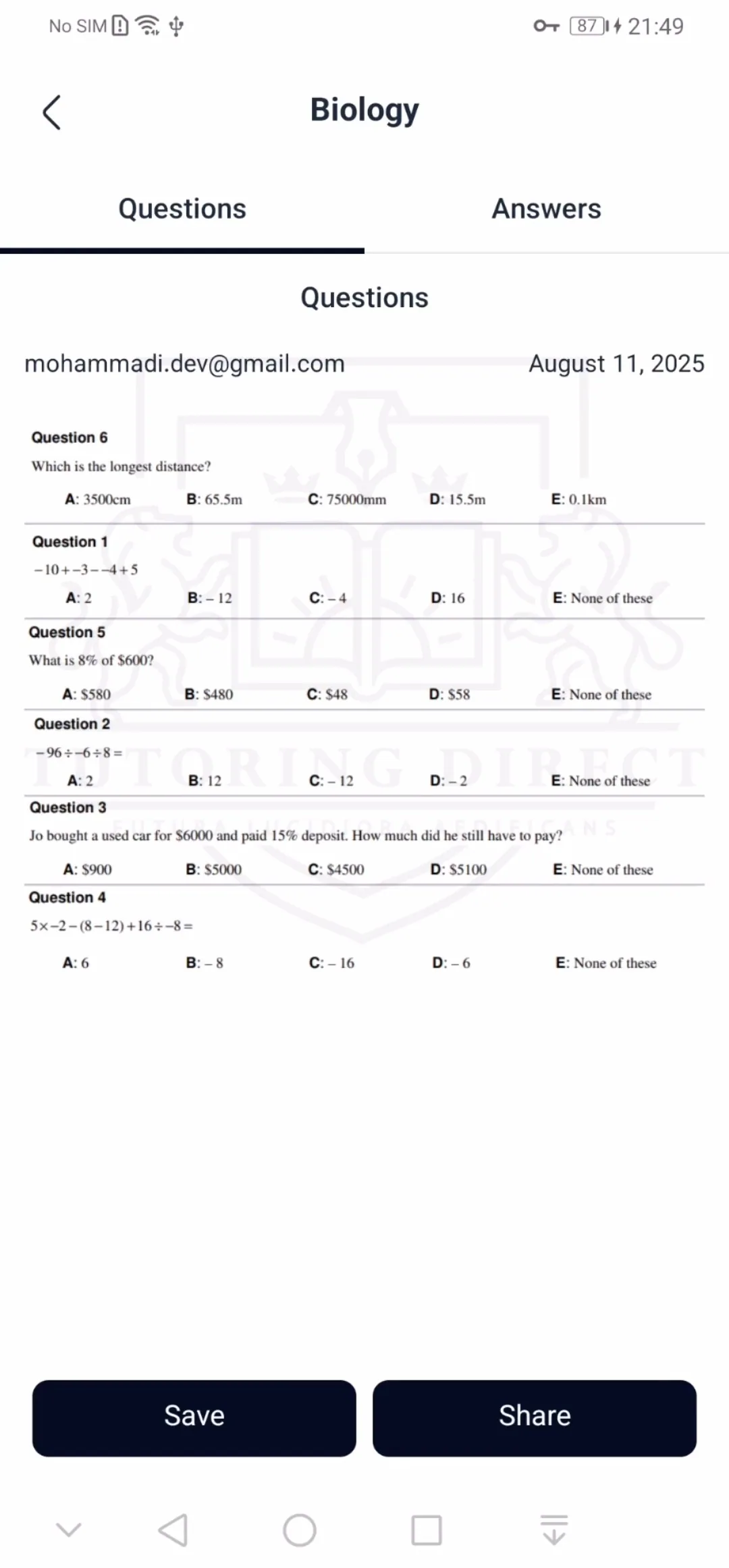
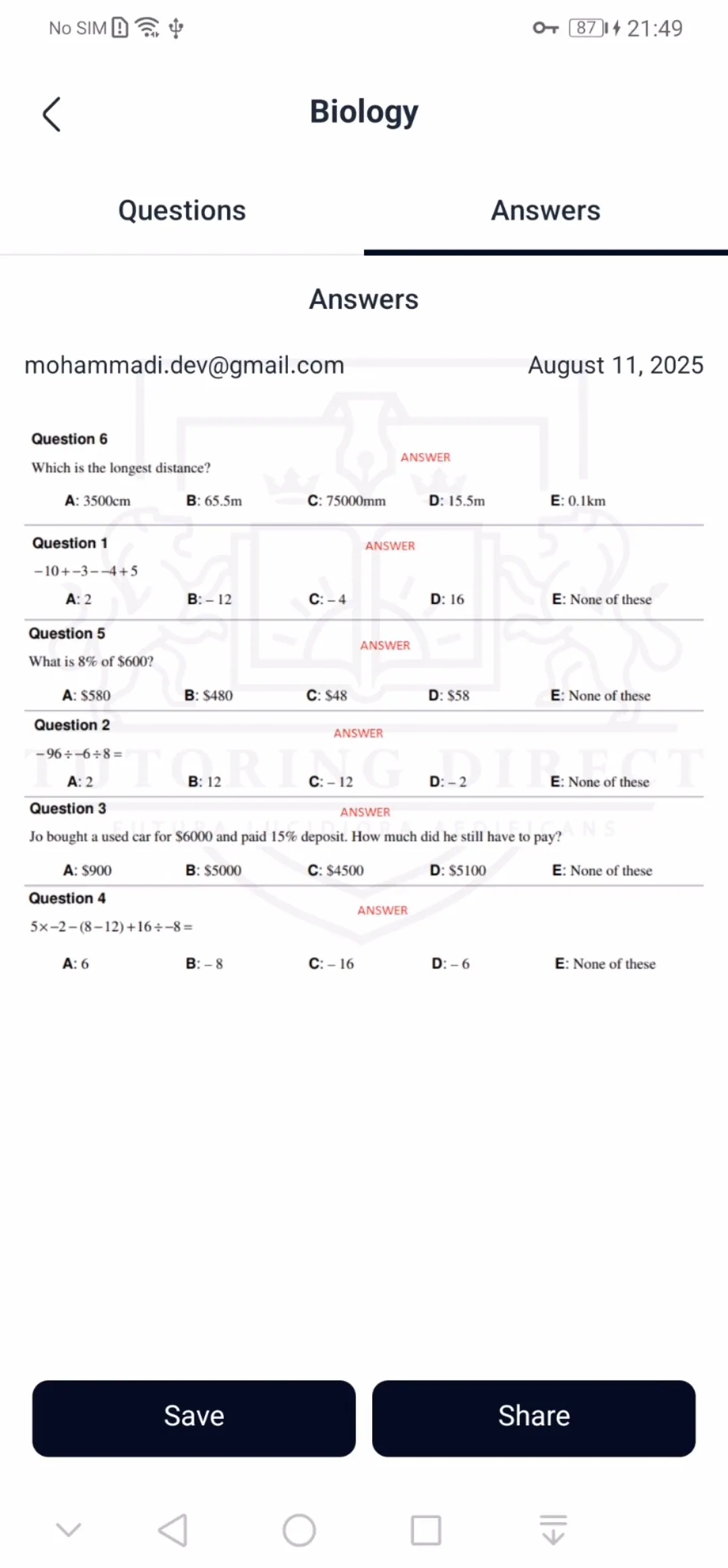
Questions and answers are presented in two separate sections. Users can switch between them using dedicated tabs and review each section independently.
This separation provides a more structured way to access answers. Users can first work through the questions and then visit the answers section to check and evaluate their responses.
Saving and Sharing PDF Exports
One of Quarx's practical features is the ability to save and share question and answer collections.
Users can prepare the content of each section as image-based output and save it as a PDF file or share it with others. This means that generated collections are not limited to use within the application; they can also be stored, reviewed, or used outside the app.
The exported documents include elements such as a title, date, user information, and the relevant questions or answers. Longer content is also arranged across multiple pages to maintain a structured and readable layout.
User Accounts and Personal Access
Quarx supports user accounts, allowing users to access the application through their own accounts.
Account features include registration, email and password sign-in, Google sign-in, and password recovery. The profile section also provides access to account information and the option to sign out.
Combined with the ability to retain access to previous collections, account functionality helps provide a more consistent experience across the application.
Application Design and Technical Development
The development of Quarx focused on building an Android application with a modern user interface, a maintainable architecture, and integration with the services required by the project.
The application was developed using Kotlin and Jetpack Compose. Compose enables a component-based approach to building the user interface and managing the structure of application screens.
The project is organized into three main layers, each with a distinct responsibility: Presentation, Domain, and Data.
Presentation: Handles screens, UI state, and user interaction events.
Domain: Defines application logic and use cases independently of service integration details.
Data: Implements data access and communication with external resources.
Several tools and libraries are used throughout the project, including Dagger Hilt for dependency injection, Voyager for navigation, Retrofit for network communication, and Kotlin Coroutines for asynchronous operations.
Firebase Authentication and Cloud Firestore are also used in the relevant account and data-related features. Educational files and images are retrieved through integration with Google Drive.
This architecture helps separate responsibilities and makes the application's different components easier to maintain and extend.
Dasht's Role in the Quarx Project
Dasht was responsible for developing the Android application for Quarx. This included implementing the main screens and user flows, topic selection, question-set configuration, content display, account management, and saving and sharing functionality.
The goal was to provide a consistent user experience throughout the process: from selecting a topic to reviewing the resulting questions and answers and eventually saving or sharing the generated content.
Conclusion
Quarx is an example of an educational application that goes beyond displaying fixed content by allowing users to select and prepare collections based on their individual needs.
The combination of topic selection, question-count configuration, access to new and previously generated questions, separate question and answer views, and PDF export makes the application a practical tool for organizing educational practice and revision.
For this project, Dasht developed the Android application with a focus on user experience, a well-structured technical foundation, and integration with the services required by the product.